 LEON
LEON From Portal Alert to Phone Call in Under 5 Minutes: The Workflow
From Portal Alert to Phone Call in Under 5 Minutes: The Workflow
Speed-to-lead is not a theory. It is arithmetic. The agent who calls first wins the listing in 78% of cases, according to research from InsideSales.com. Yet most brokers take between 30 minutes and 24 hours to respond to a new portal listing. The gap between knowing that speed matters and actually executing it is a workflow problem, not a motivation problem.
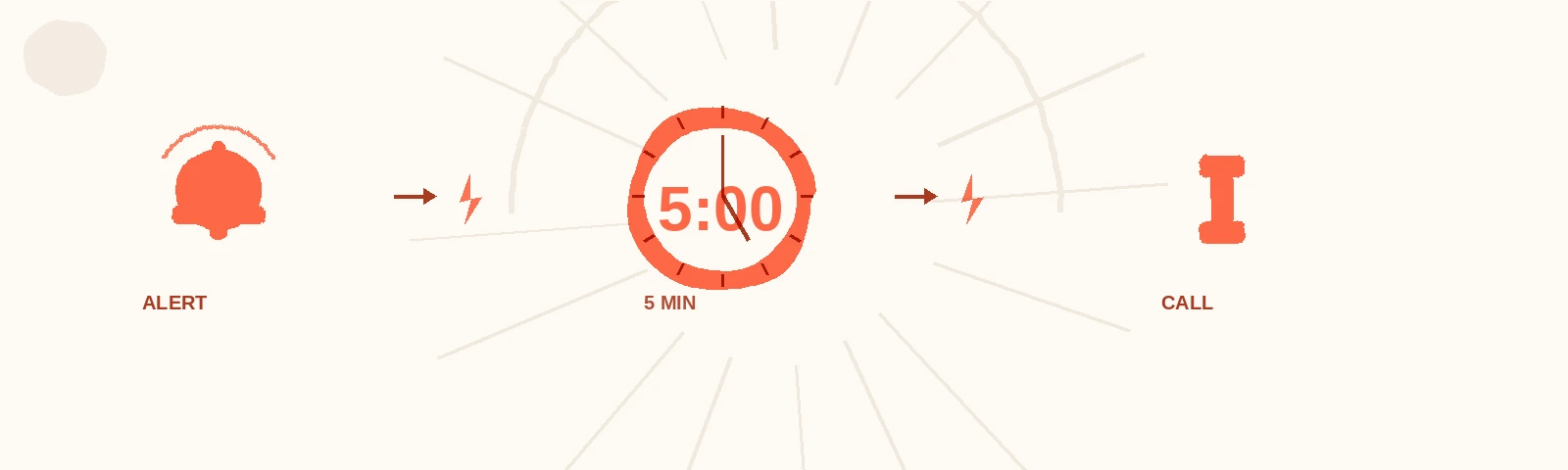
This playbook lays out the exact process — from the moment a new listing hits a property portal to the moment you are on the phone with the seller. Five minutes. Every step accounted for.
Why does the first five minutes matter more than anything else?
The first five minutes after a new listing appears determine who gets the appointment in the majority of cases. Data from a study published by Lead Response Management shows that contacting a lead within 5 minutes makes you 9 times more likely to connect compared to waiting 30 minutes. In real estate specifically, sellers who list privately receive an average of 3 to 5 agent calls within the first 48 hours — but the first caller gets the meeting 78% of the time (InsideSales.com, 2023).
The reason is simple psychology. The seller just took action. They are sitting next to their phone, probably refreshing the listing to see if it went live. Their adrenaline is up. They are receptive. Thirty minutes later, they have moved on to something else. Two hours later, they have already spoken to another agent.
If you want a deeper breakdown of the speed-to-lead data, the article on why five minutes decide everything covers the research in full. What follows here is the operational workflow — the how.
What does the five-minute workflow look like step by step?
The five-minute workflow has four stages: detect, qualify, prepare, and call. Each stage has a time budget. Miss the budget on any stage and you blow the five-minute window. The workflow assumes you have already defined your territory zones so you know exactly which listings to act on.
Stage 1: Detect (0-60 seconds)
Goal: Know that a new listing exists within one minute of it appearing on a portal.
| Method | Speed | Reliability |
|---|---|---|
| Manual portal refresh | 15-60 min lag | Low — depends on your refresh habit |
| Portal email alerts | 5-30 min lag | Medium — email delay varies |
| Portal app push notifications | 1-5 min lag | Medium-high — depends on app |
| Dedicated monitoring tools | Under 1 min | High — purpose-built for speed |
| AI-powered monitoring | Under 1 min | Highest — scans continuously |
The difference between manual checking and automated monitoring is the difference between winning and losing. If you refresh a portal every 30 minutes, you are statistically behind any agent using real-time alerts. This is not about effort. It is about infrastructure.
Action items for Stage 1:
- Set up push notifications on every portal you monitor (minimum requirement)
- Configure alerts for your specific micro-zones, not the whole city
- If using AI lead generation, ensure it delivers alerts to your phone, not to email
Stage 2: Qualify (60-120 seconds)
Goal: In 60 seconds, determine whether this listing is worth an immediate call.
Not every new listing deserves a five-minute response. You need a rapid qualification filter. Open the listing and check three things:
- Is it in your zone? If yes, it is automatically high priority. If it is adjacent to your zone, it is medium priority.
- Is it a private seller (FSBO)? Private sellers are your primary target. An agent-listed property is a different play entirely.
- Are there motivation signals? Price below market average, urgency language in the description (“need to sell quickly,” “relocation”), recently relisted, or significant price drop from previous listing.
The 60-second qualification checklist
| Signal | Priority Boost | What It Means |
|---|---|---|
| FSBO in your primary zone | Highest | Your ideal target, in your territory |
| Price below comparables | High | Seller may be motivated or misinformed |
| Urgency language | High | Time pressure often means receptive to agents |
| Relisted property | Medium-high | Previous attempt failed — seller needs help |
| Price drop > 5% | Medium | Seller is adjusting expectations — opening to advice |
| New listing, no signals | Medium | Worth a call but lower urgency |
If the listing passes your filter, move immediately to Stage 3. If it does not, log it for later review and wait for the next alert.
Stage 3: Prepare (120-210 seconds)
Goal: In 90 seconds, gather enough context to make an informed, personalized call.
This stage separates the agents who dial blindly from those who call with authority. You need three pieces of information:
1. Comparable data (30 seconds) Pull up the last two to three sales in the same building or street. You need price per square meter and days on market. This gives you a reference point for the conversation.
2. The listing’s positioning (30 seconds) Compare the asking price to your comparables. Is it above market, at market, or below? This tells you how to frame your opening — if the price is too high, you lead with market data. If it is realistic, you lead with speed of sale.
3. Your opening script (30 seconds) Select the right approach based on what you found:
| Situation | Opening Angle |
|---|---|
| Price too high | ”I have comparable data from your building that might be useful for your pricing decision.” |
| Price realistic | ”Properties in your range are moving in X days right now. I may have buyers already looking.” |
| Urgency signals | ”I noticed your listing and I specialize in this area. I can give you a realistic timeline for sale.” |
| Relisted property | ”I see this was listed before. I work this building regularly and can share what has changed in the market.” |
Stage 4: Call (210-300 seconds)
Goal: Be on the phone, live, with the seller within five minutes of the listing going live.
Dial. Not a WhatsApp message. Not an email. A phone call.
According to a study by the Keller Center at Baylor University, phone calls are 8 times more effective than emails for initial real estate contact, and 3 times more effective than text messages for converting to an appointment. The voice creates immediacy and trust that text cannot replicate.
Call structure (keep it under 3 minutes):
- Identify yourself and your zone expertise (15 seconds): “Hello, my name is [Name], I am a broker specializing in [neighborhood]. I saw your listing just came up.”
- Offer immediate value (30 seconds): Share one comparable or one market insight. Do not pitch your services. Offer data.
- Ask one question (15 seconds): “Have you had a professional valuation done, or are you working from portal estimates?”
- Propose next step (15 seconds): “I could stop by for 15 minutes this week to share the full market picture for your building. Would Thursday or Friday work better?”
That is it. No pitch. No pressure. Data, question, appointment.
How do you build this workflow into your daily routine?
The five-minute workflow only works if it is your default reaction, not something you have to think about. That means building it into your daily structure.
Morning block (8:00-8:30): Review any overnight listings that appeared in your zones. These are no longer five-minute leads — they are 12-hour leads. Still worth calling, but adjust your approach. Acknowledge you are not the first but lead with zone-specific insight.
Active monitoring block (8:30-13:00): This is your prime five-minute window. Alerts on, phone charged, comparables bookmarked for each zone. When an alert fires, execute the four stages immediately.
Afternoon block (16:00-19:00): Second active window. Many sellers list in the afternoon after work. Same workflow applies.
Review block (19:00-19:15): Log the day’s alerts, responses, and outcomes. Track your actual response times. According to research cited in brokers don’t need more leads — they need faster follow-up, the brokers who track response time improve it by an average of 40% within the first month of measurement.
What tools do you need to execute this workflow?
You need three things: a detection layer, a data layer, and a phone.
Detection layer — Something that tells you a new listing exists within 60 seconds. At minimum, this is portal push notifications configured for your zones. At best, it is a dedicated monitoring tool or AI-powered FSBO monitoring that scans continuously and delivers alerts directly to WhatsApp.
Data layer — Access to recent comparables for your zones. This can be a portal’s professional tools, a spreadsheet you maintain, or a real estate data service. The key is that the data must be accessible in 30 seconds or less. If you have to log in, navigate, and search every time, you will not make the 90-second preparation window.
A phone — Not a messaging app. The phone call is the irreplaceable element. You can automate detection and pre-build data templates, but the human voice on the phone is what converts the alert into an appointment.
The minimum viable tech stack
| Layer | Minimum | Better | Best |
|---|---|---|---|
| Detection | Portal app notifications | Email alerts with filters | AI monitoring with instant WhatsApp delivery |
| Data | Saved portal searches for comparables | Spreadsheet with recent sales per zone | Automated comparable lookup per alert |
| Contact | Phone | Phone + prepared script template | Phone + script + CRM logging |
What are the most common workflow failures?
Failure 1: Alert fatigue. Agents set up too many alerts across too many zones and start ignoring them. The fix is ruthless zone discipline. Three zones. No more.
Failure 2: Preparation paralysis. Agents spend 10 minutes researching before calling, pushing their response time past the window. The fix is the 90-second prep limit. Two comparables and a script angle. That is enough.
Failure 3: Texting instead of calling. Agents send a WhatsApp message because it feels less intrusive. The data says otherwise. Call first, follow up with text if no answer.
Failure 4: No tracking. Agents execute the workflow sporadically but never measure response times or outcomes. Without measurement, there is no improvement.
Frequently Asked Questions
What if the seller does not answer the phone?
Leave a voicemail that is under 30 seconds and includes one specific piece of value — a comparable, a market stat, or a reference to your expertise in their building or street. Then send a WhatsApp message within 2 minutes: “Hello, I just tried calling — I am [Name], a broker specializing in [zone]. I noticed your listing and have some comparable data that might be useful. Happy to share whenever convenient.” The combination of call plus text significantly increases callback rates compared to either one alone.
How do I handle listings that appear after business hours?
Listings that appear after 20:00 get a different workflow. Do not call that evening — it signals desperation, not professionalism. Instead, prepare your Stage 3 research immediately so you are ready to call at 8:30 the next morning. You will not be the five-minute responder, but you will be the most prepared morning caller, which is a strong second position.
Is this workflow realistic for brokers who also do showings and client meetings?
Yes, but it requires time-blocking. The five-minute workflow is not meant to run 12 hours a day. It runs during your two active monitoring blocks — morning and late afternoon. During showings and meetings, alerts accumulate and you process them as a batch afterward, using the “overnight listings” approach. The agents who consistently win are not available all day — they are disciplined about when they are in hunting mode and when they are in closing mode.